Choose a folder.
Select the existing folder that should stay private.
Folder protection for shared drives
Put a password on selected folders on the SSDs, hard drives, and RAIDs you share. Everything else stays open.
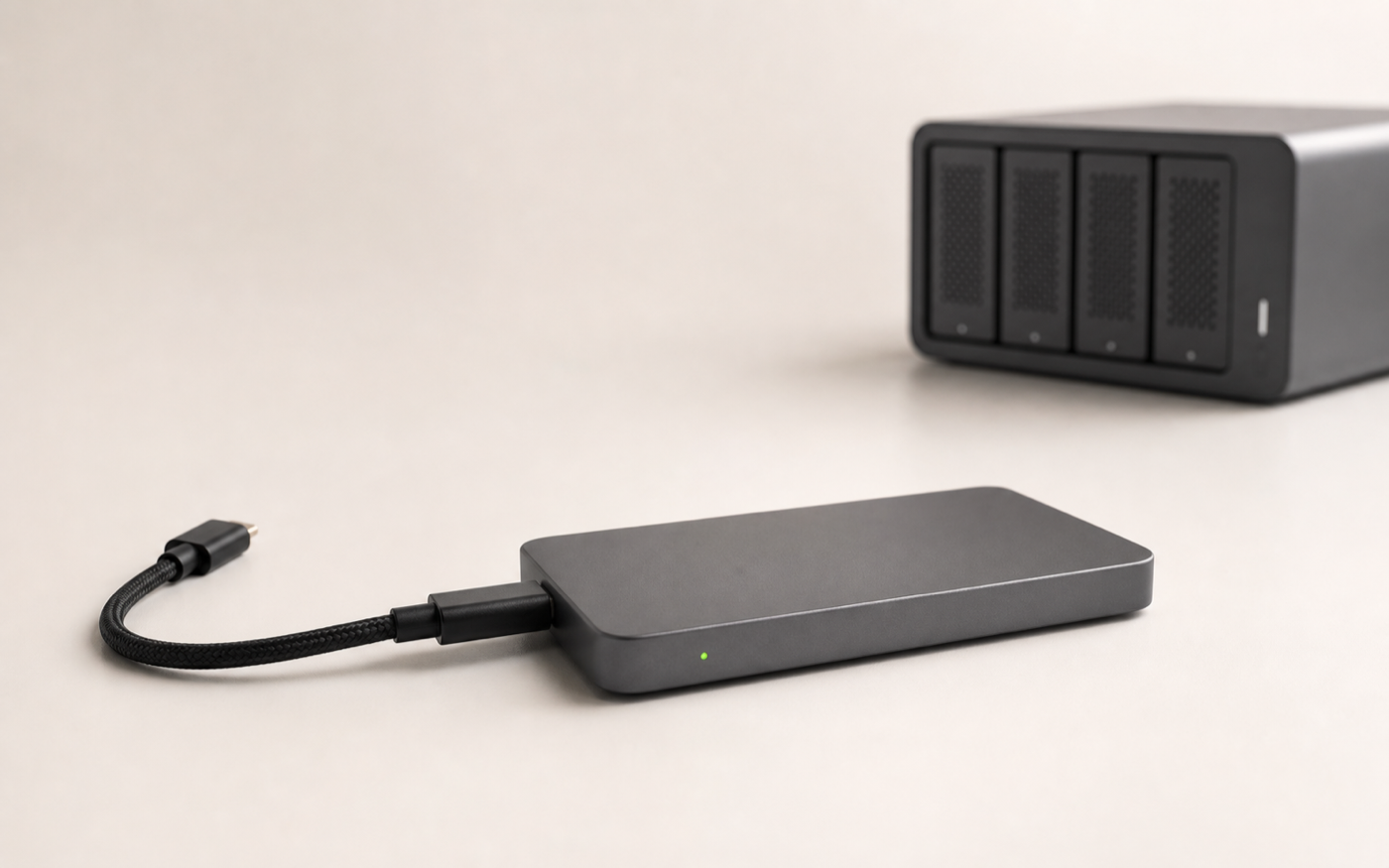
 Only selected folders are locked.Everything else stays open.
One drive. Clear boundaries.
A production drive can keep moving between people without exposing every part of the project.
Three simple steps
No new project structure. No cloud migration. No technical setup for the people receiving the open folders.
Select the existing folder that should stay private.
FoldCrypt protects it in the same place on the drive.
Everything else remains open to your collaborators.
Made for drives that move
From set to post, studio to client, one physical drive can hold shared work and private material.
Film & post-production
Keep footage, proxies, and exports moving. Lock budgets, contracts, releases, private references, and unreleased cuts.
Directors · producers · editors · DITsPhotography
Leave selects and exports available while private shoots, client documents, and personal archives stay protected.
Photographers · assistants · retouchersDesign studios
Collaborate on assets without exposing estimates, contracts, source material, or concepts that are not ready to be seen.
Designers · studios · freelancersFoldCrypt Pro
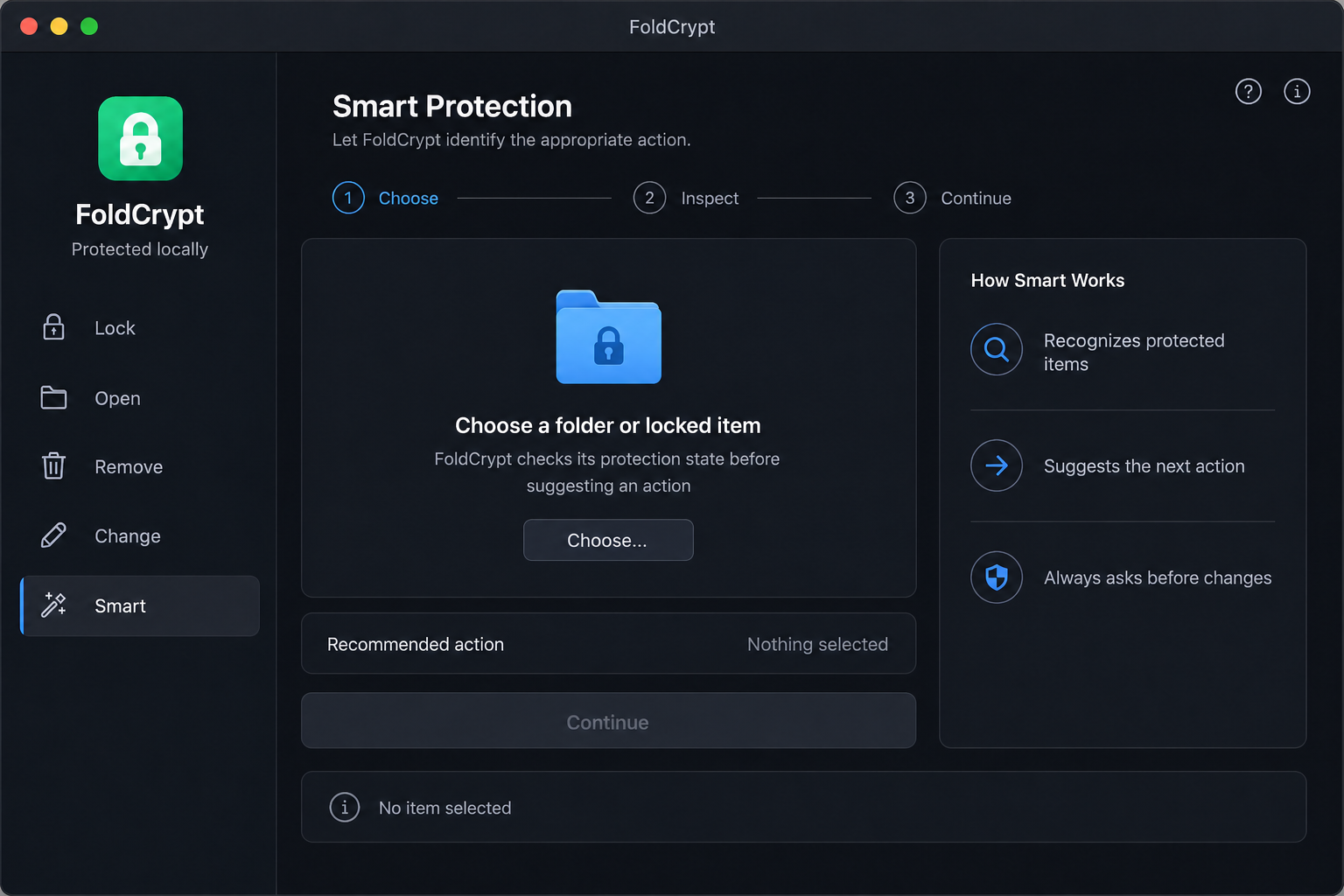
Double-click, enter the password, and work in place. FoldCrypt can re-lock after inactivity, screen lock, logout, or when the app quits.
Straight answers
FoldCrypt uses the encryption engine built into macOS. It protects selected folders; it does not replace a backup or a team identity system.
Pricing
Choose Pro only if you want Smart Folders, priority updates, and priority support. No subscription.
Lock, Open, Remove password, Change password, and recovery.
Free forever. No time limit.Smart Folders, priority updates, and priority support.
One-time purchase. Perpetual for this version.Before the handoff
Free stays free. Pro adds one focused workflow for folders that should re-lock themselves.
Yes. Lock, Open, Remove password, Change password, and the recovery key are free forever, with no time limit or payment.
Pro adds Smart Folders, priority updates, and priority support. It costs €19.99 once for a perpetual license for this version—there is no subscription.
Smart Folder features require Pro. Every Free action keeps working forever, so your core protection is never put behind a payment.
No FoldCrypt account or cloud storage is required. Protection stays on the Mac storage you choose; purchasing Pro is handled separately by Lemon Squeezy.
Yes, on a compatible Mac with FoldCrypt installed, using the password or recovery key.
Use the recovery key supplied for the protected folder. If you lose both the password and recovery key, the data cannot be recovered. Keep a separate backup.
That is exactly the workflow FoldCrypt is designed for: keep shared folders open and protect only the private ones. Always keep a separate backup before working with encryption.
Lemon Squeezy emails the license key after purchase. Enter that key inside FoldCrypt to activate Pro.
FoldCrypt for Mac
Start with every core protection action, plus a 14-day trial of Smart Folders. When the trial ends, Free keeps working forever.
FoldCrypt is made by one person. Donations are optional, support development, and are not a Pro purchase.
macOS 13 or later. Keep a separate backup of important work.